Statements & Tax Receipts

Year-End Statements
Without the January Panic

BetterUnite generates year-end statements, receipts, and Word-merge letters in bulk: targeted by list, campaign, tag, or everyone, grouped by household, and delivered by email, supporter portal, or PDF download. Fair market value deduction language is handled in the template, and large runs process in the background.

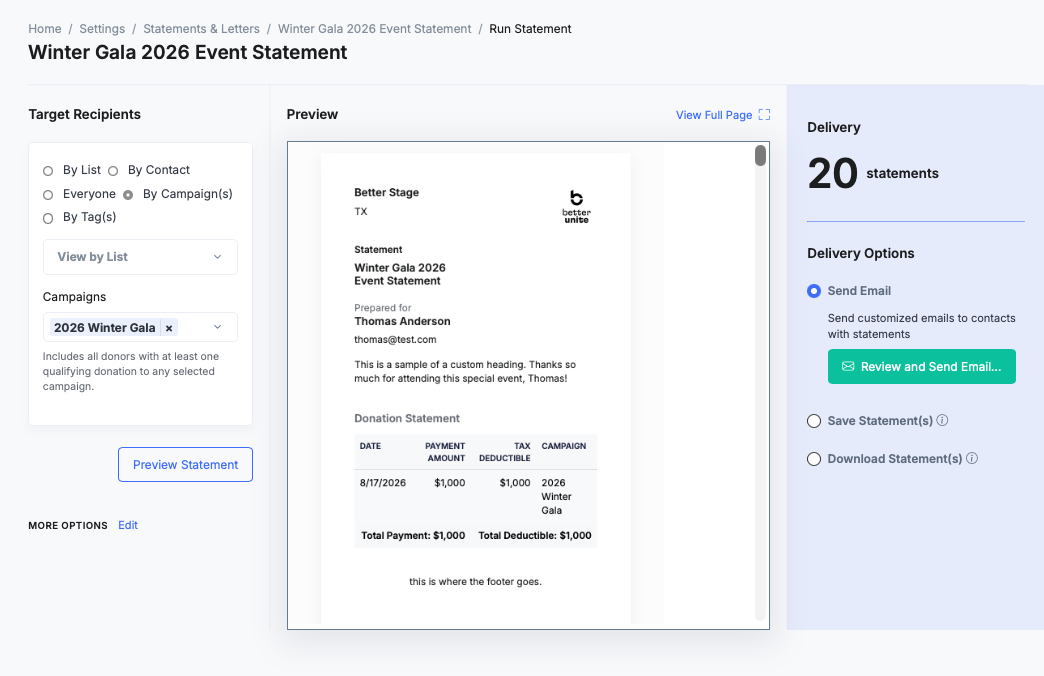
Run Statement screen: Target Recipients by campaign with 2026 Winter Gala selected, a preview of the Winter Gala 2026 Event Statement prepared for Thomas Anderson with its donation table, and Delivery showing 20 statements with Send Email selected and a Review and Send Email button

Year-end statements, event receipts,
and custom letters, issued in
one January pass.

G2 Winter 2026 badge: High Performer, Small Business, Donor Management G2 Winter 2026 badge: Best Support, Small Business, Fundraising G2 Winter 2026 badge: Easiest Admin, Donor Management G2 Winter 2026 badge: Easiest To Do Business With, Donor Management G2 Winter 2026 badge: High Performer, Donor Management G2 Best Software 2026 badge: Top 25 Non-Profit Software Products

01Statement Templates

Templates that outlive the year.

Reusable templates carry your headers, footers, and merge fields with a live preview while you edit. Custom receipt notes and FMV deduction language live in the template, so approved wording reaches every donor.

  • Download sample Word templates to start from instead of building a letter layout from scratch
  • Search the merge-field reference to find the exact field name while you build
  • Issue statements in more than one language so multilingual communities get documents they can actually read
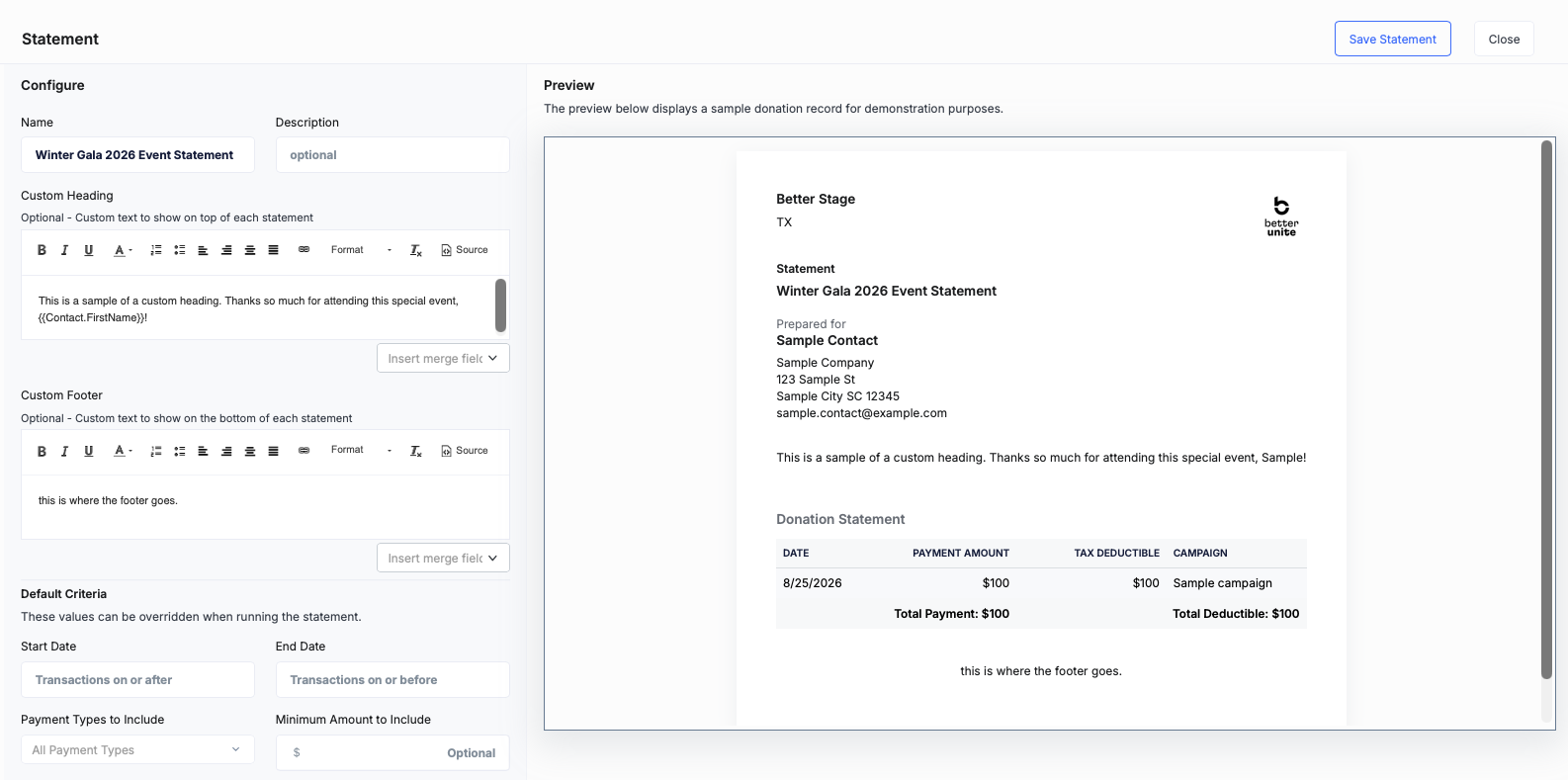
Statement template editor: a Configure column with name, description, a custom heading and custom footer with Insert merge field menus, and default criteria for dates, payment types and minimum amount, beside a live preview of the finished statement, with a Save Statement button

02Recipient Targeting

Everyone, or exactly the right list.

Choose recipients by list, campaign, tag, or individual, then narrow a single run by date, minimum amount, or payment type. Group by household so a couple gets one combined statement.

  • Include or exclude soft credits, open carts, and pledges in the totals for each run
  • Generate an empty statement for a donor with no qualifying gifts when the record still needs one
  • Send to everyone in one year-end run, or to any list, campaign, or tag
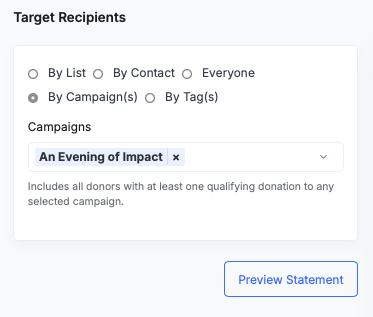
Target Recipients panel: By List, By Contact, Everyone, By Campaign(s) selected with An Evening of Impact, or By Tag(s), with a note that all donors with a qualifying donation to the campaign are included, and a Preview Statement button

03Delivery Options

Email, portal, or PDF, from the same run.

Email statements, save them to the record, or publish to the donor portal. Download a run as one PDF, a zip, or per contact.

  • Run large batches in the background, with an email when 200+ record runs are ready
  • Collect finished files from a 30-day download center whenever you are ready
  • Let donors fetch their own statements from the supporter portal after two-step email verification
Learn more
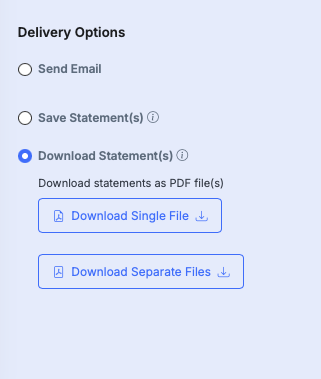
Delivery Options panel: Send Email, Save Statement(s), and Download Statement(s) selected with Download Single File and Download Separate Files buttons

04Tax Receipts

The deductible portion, stated correctly.

Event receipts auto-calculate fair market value, so a gala ticket shows the deductible amount, not the full charge. Item providers get in-kind receipts, and pledge statements cover open commitments.

  • Show auction item providers the gift-in-kind cost on their in-kind receipt
  • Carry the FMV-based deduction language on receipts so auction wins state the deductible portion correctly
  • Send donors to the redesigned receipt page
Receipt page for Andrew Sullivan from Better Stage for the 2026 Casino Night: date, receipt for, email address, and a summary table with a Table of 10 ticket at 1,000 dollars, a fair market value of 400 dollars with a tax-deductible portion of 600, total charges and a total tax deductible line

05Word Merge

Your letterhead, your wording, your merge fields.

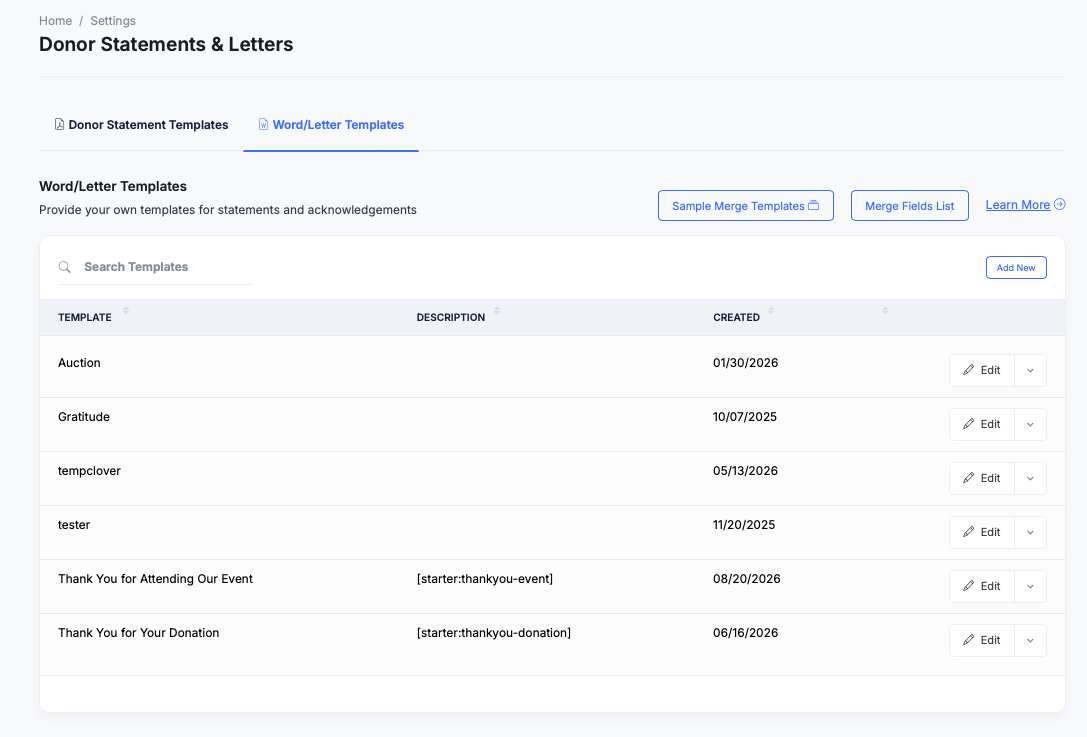
Word merge builds fully custom letters from templates you write in Word. The same engine carries auction item and guest fields, so bidder paddles and name badges print straight from the donor record.

  • Print name tags as well as bidder paddles from the same guest merge fields
  • Produce any document, not just letters, from a template you write in Word
  • Keep your own letterhead and wording, since the template is a Word document you control
Donor Statements and Letters settings, Word/Letter Templates tab: Sample Merge Templates and Merge Fields List buttons above a table of templates including Auction, Gratitude, Thank You for Attending Our Event and Thank You for Your Donation, each with an Edit button

06Workflow Automation

Acknowledgments that send themselves.

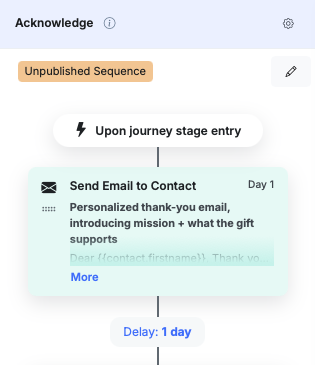
Generate Statement and Generate Letter are workflow steps, so a first gift triggers its thank-you without anyone remembering. Build it with automated generation, then confirm with status reporting.

  • Email the generated document to the contact, or save it to their record, from the workflow step
  • Trigger an acknowledgment on a pledge payment as well as on a first-time gift
  • Remove staff from the loop entirely, so the letter goes out without anyone touching it
Acknowledge sequence in the workflow builder: triggered upon journey stage entry, a Day 1 Send Email to Contact step with a personalized thank-you email, then a one-day delay

Frequently Asked
Questions

Can I send all year-end statements at once?

Yes. Target everyone, or any list, campaign, or tag, group by household, and deliver by email, portal, or PDF in one run. Runs over 200 records process in the background and land in a 30-day download center.

Are receipts IRS-ready?

Receipts support custom tax notes and fair-market-value-based deduction language, so event tickets and auction wins show the deductible portion correctly. Have your counsel review your final wording.

Can donors download their own statements?

Yes. Save statements to contact records and expose them in the self-service donor portal, where donors sign in with two-step email verification.

Can I make one statement per family?

Yes. Household grouping consolidates giving onto a single statement per household, and you can include or exclude soft credits, open carts, and pledges.

What about custom letters, badges, and paddles?

Word merge generates fully custom letters and documents from your own templates, with merge fields for auction items and guests, including name tags and bidder paddles.

Can acknowledgments run automatically?

Yes. Workflows include Generate Statement and Generate Letter steps that email the document to the contact or save it to their record, so a first gift or a pledge payment gets its acknowledgment on its own.

Get started

January should not be a panic month. Run year-end in one pass.

A walkthrough with your own data: your programs, your questions. No pressure, no endless sales cycle.

See pricing first

Request a demo