Events

Event Communications

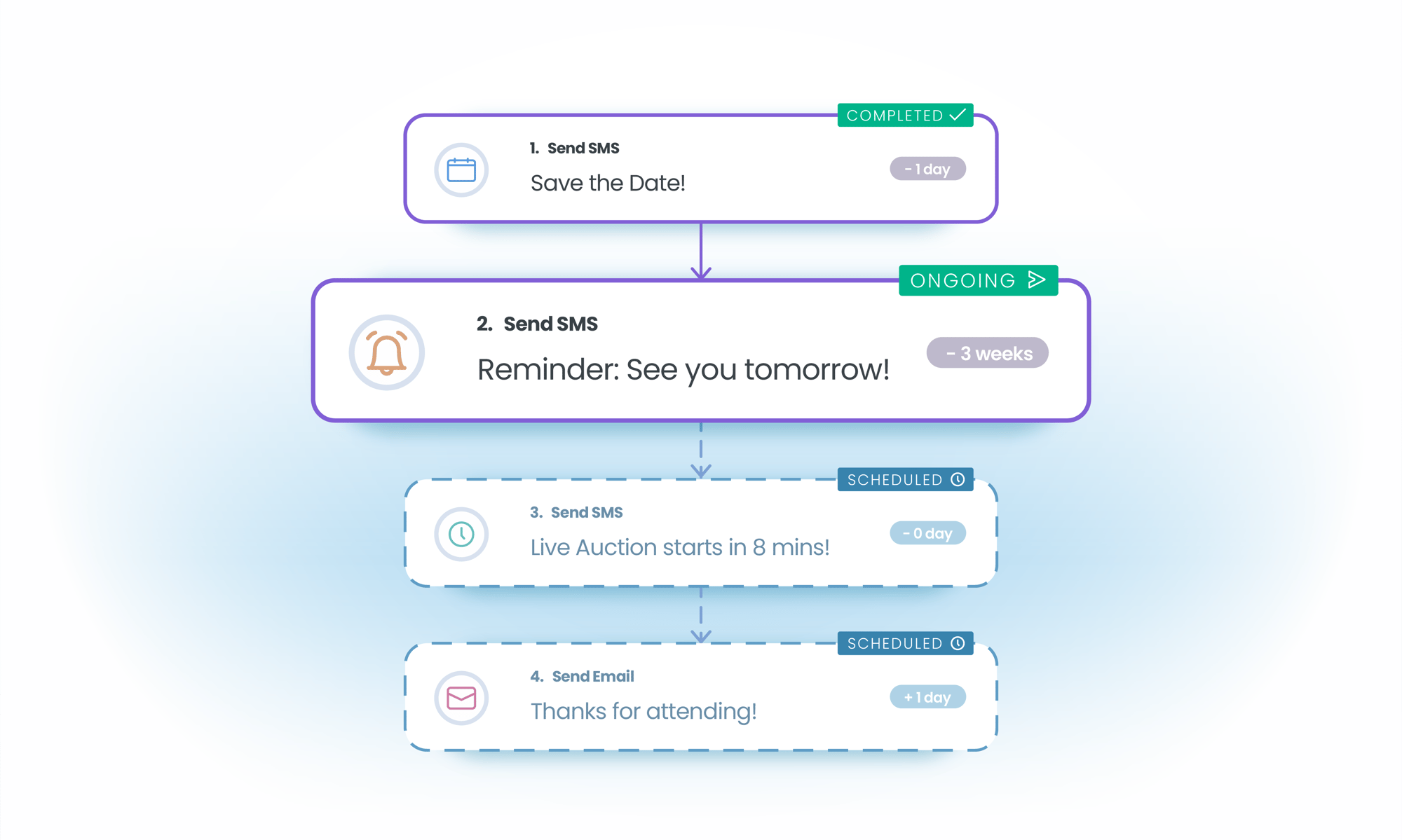
BetterUnite runs event email and SMS from one Communication Timeline that previews every scheduled, upcoming, and sent message. Target guests on live event data: check-in status, cart contents, bid status, donation status, card on file, or waiver signed. Merge fields personalize each message down to the table number.

Event communications illustration

Email and SMS on one timeline.

01

The Communication Timeline

Preview what is scheduled, what is coming up, and what has already gone out, for the whole event in one view.

  • Preview scheduled, upcoming, and sent messages for the event in a single timeline
  • Check sent-email activity for any guest, whatever the delivery status
  • Schedule email and SMS ahead, or fire them from automated triggers

02

Behavioral Targeting on Live Event Data

Filter on live event data, not a static list: who checked in, who has a bid in, who still has no card on file.

  • Target by check-in status, cart contents, bid status, donation status, card on file, or waiver signed
  • Send an authorize-card reminder to exactly the guests missing a card
  • Chase sponsors with outstanding delivery obligations from the same filter builder

03

Personal Down to the Table Number

Merge fields carry the guest's table or team number and their personal link into every email and text.

  • Merge the guest's table or team number and Magic Link into email and SMS
  • Write custom subject lines for confirmation and rule-based emails
  • Append conditional content by purchase type, with separate donor and cart payment confirmations

04

Ready Out of the Box

Reminders, thank-yous, guest-info requests, and ticket delivery ship as system emails, with an AI assistant for everything else.

  • Start from pre-built system emails and a best-practice SMS library for your event type
  • Draft copy with the AI assistant, under a branded banner applied across every event email
  • Resend guest links and confirmations in bulk, and generate post-event statements the same way

05

Compliant and Accountable

Twilio compliance footers attach themselves, and policy guidance sits inline while you write.

  • Send SMS with Twilio compliance footers attached automatically
  • Follow inline policy guidance while composing
  • Notify internal staff on purchases and guest status changes, without touching the guest list

Frequently Asked
Questions

Can BetterUnite send both email and SMS to event guests?

Yes. Email and SMS run from the same event with deep filtering, scheduling, and automated triggers. SMS includes automatic Twilio compliance footers and a library of suggested best-practice messages per event type. SMS uses a messaging bundle add-on.

Can I target guests based on what they have done at the event?

Yes, and that is the differentiator. Target by check-in status, cart contents, bid status, donation status, card on file, or waiver signed. For example, send an authorize-card reminder only to guests without a card on file.

Can messages include each guest's table number?

Yes. Merge fields insert the guest's table or team number and their personal guest link into emails and texts, ideal for day-of messages like “You're at Table 12, here's your link.”

What emails are pre-built?

Reminders, thank-you, guest-info requests, and ticket delivery come as pre-built system emails, with custom subject lines and conditional content appended by purchase type. An AI assistant helps generate email copy, and a branded banner applies across all event emails.

Can I see everything that is scheduled to go out?

Yes. The Communication Timeline previews scheduled, upcoming, and sent messages in one view, and sent-email activity stays visible regardless of delivery status.

Get started

Put your guest communications on autopilot.

A walkthrough with a real event timeline: your messages, your questions. SMS runs on the messaging bundle add-on, and pricing is on the page before you ask.

See pricing first

Request a demo