Pledges

Pledges Made.
Pledges Collected.

BetterUnite pledge management captures commitments in seconds, tracks installment milestones, sends self-serve payment links, and auto-reconciles payments. Pledger and amount are the only required fields, payment status runs independently of pledge stage, and a live dashboard shows received, expected, remaining and past due at any moment.

Pledges tracked across capital campaigns,
paddle raises, and annual funds in
one register.

G2 Winter 2026 badge: High Performer, Small Business, Donor Management G2 Winter 2026 badge: Best Support, Small Business, Fundraising G2 Winter 2026 badge: Easiest Admin, Donor Management G2 Winter 2026 badge: Easiest To Do Business With, Donor Management G2 Winter 2026 badge: High Performer, Donor Management G2 Best Software 2026 badge: Top 25 Non-Profit Software Products

01Capture a Pledge in Seconds

Log the commitment before the donor leaves the room.

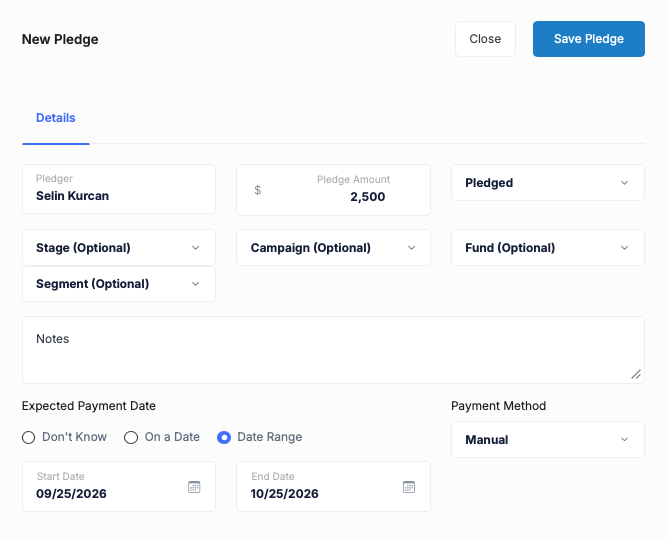
Pledger and amount are the only required fields. The expected date can be a single date, a range, or Don’t Know, and bulk import brings an existing pledge book over in one pass.

  • Log a pledge with two fields, pledger and amount, and fill the rest later
  • Date the commitment as a single day, a range, or Don’t Know
  • Import an existing pledge book in one bulk pass

02Collection That Runs Itself

Donors pay themselves.

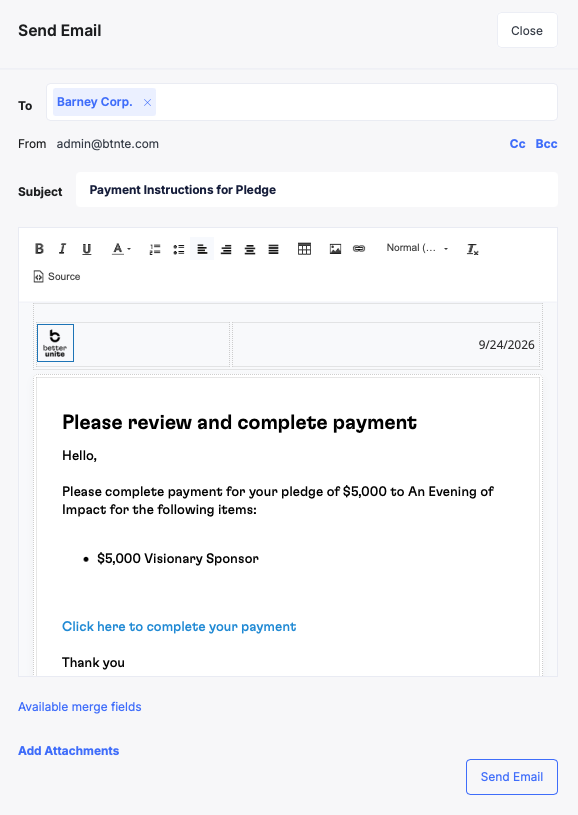
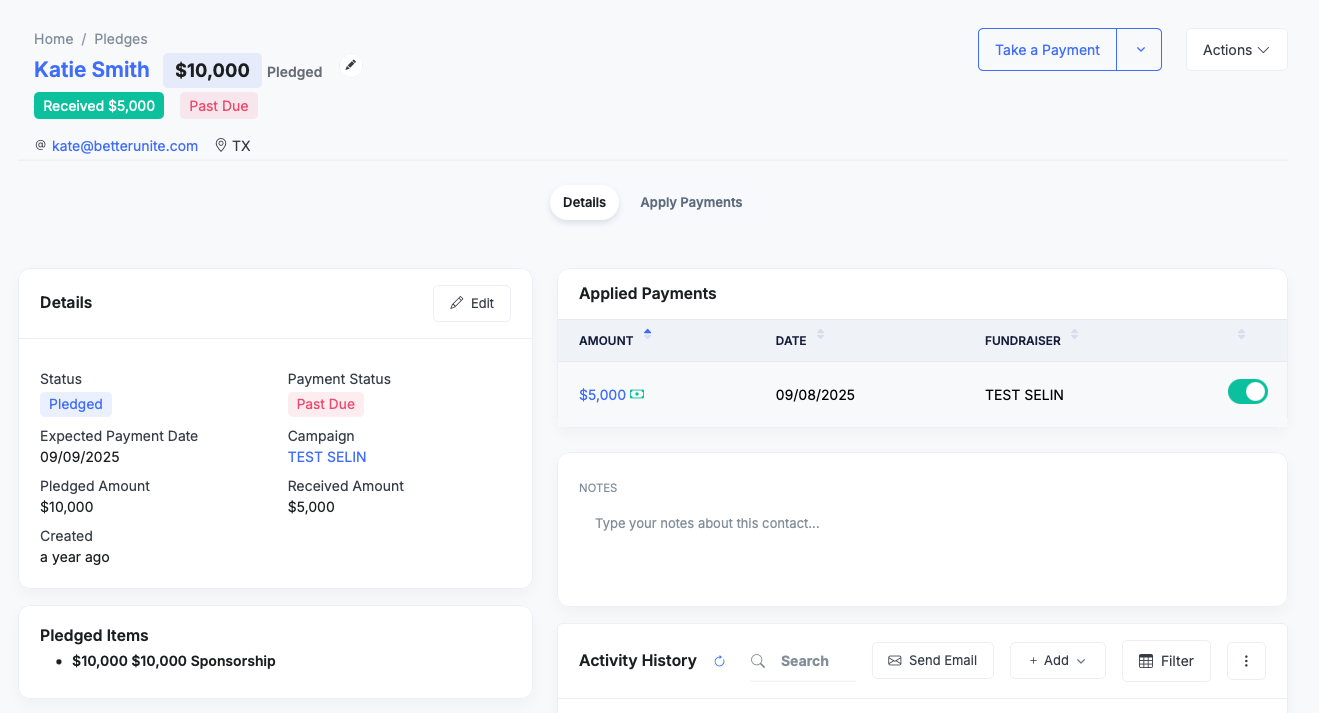
Every pledge carries a self-serve payment link and a downloadable invoice. Send Payment Instructions is one click, and you can charge a card on file, take ACH, or record an offline check.

  • Send payment instructions in one click, with the amount, campaign and pay link merged in
  • Give every pledge its own self-serve payment link and downloadable invoice
  • Attach templates, rich text and Cc/Bcc to the chase email

03Milestones & Installments

Multi-year pledges that add themselves up.

Break any pledge into named milestones with an expected amount and date. Partial payments roll up to the parent automatically, and a cross-pledge view lists every upcoming installment chronologically.

  • Name each installment with its expected and received amount
  • Roll partial fulfilment up to the parent pledge automatically
  • View milestones across every pledge in one chronological list

04Reconciliation Without Spreadsheets

Stray payments find their pledge.

When a pledger pays through a different checkout, a Review unapplied payments alert flags it. Toggle detected payments onto the pledge, or locate any transaction by reference number and apply it by hand.

  • Catch unapplied payments with a red review flag on the register
  • Apply payments to the right pledge with a single toggle
  • Record offline checks, cash and wires, and find any transaction by reference

05Pipeline Truth, Two Axes

Payment status and pledge status, tracked apart.

Payment Status and Pledge Status move independently, so a paused multi-year commitment never reads as a collections problem. Campaign, fund, and segment tags roll everything up for pledge reports.

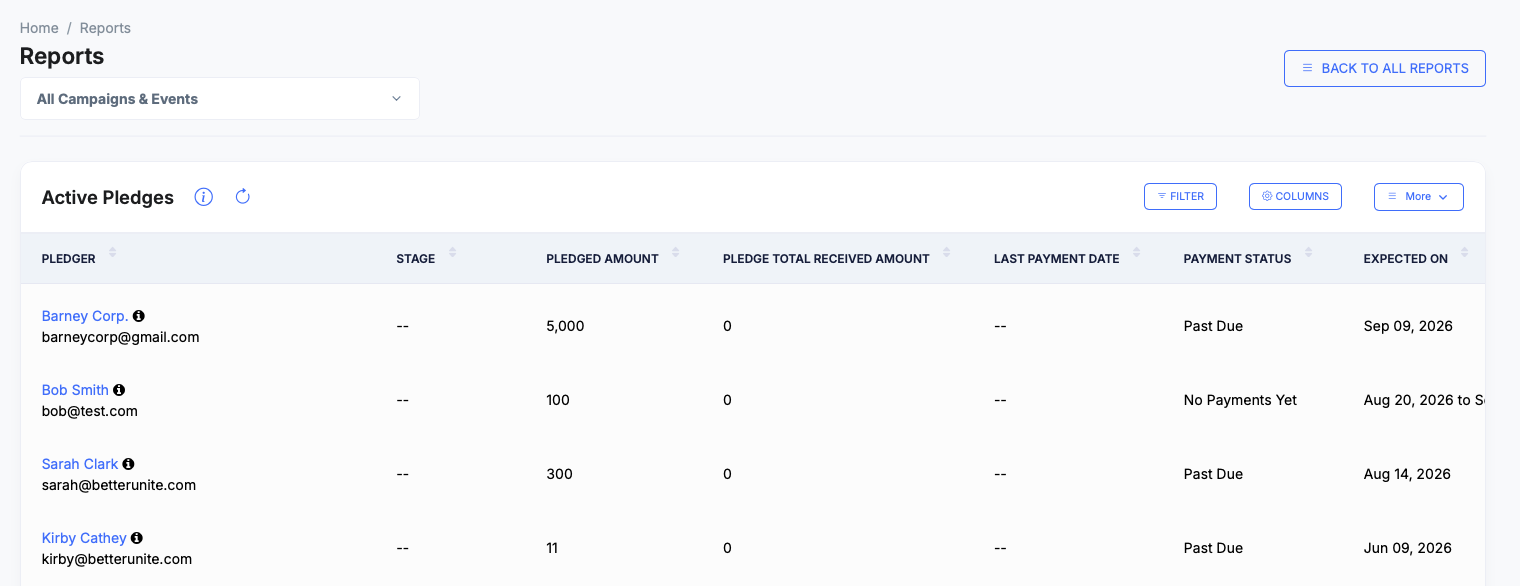
  • Track payment status, No Payments Yet, Partially Paid, Paid, or Past Due, independently of pledge stage
  • Move pledges through Capacity, Pledged, On Hold and Cancelled
  • Build your own stages and drag them into the order your team works in

06Forecast & Chase

Know what is coming, and what is late.

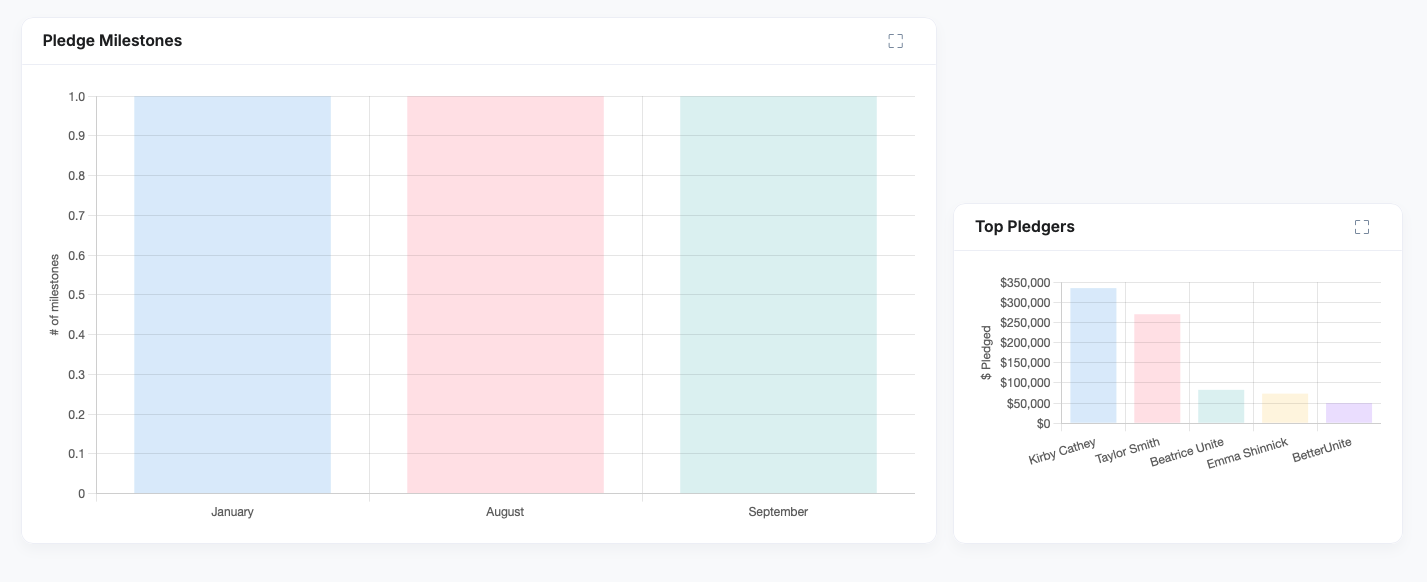
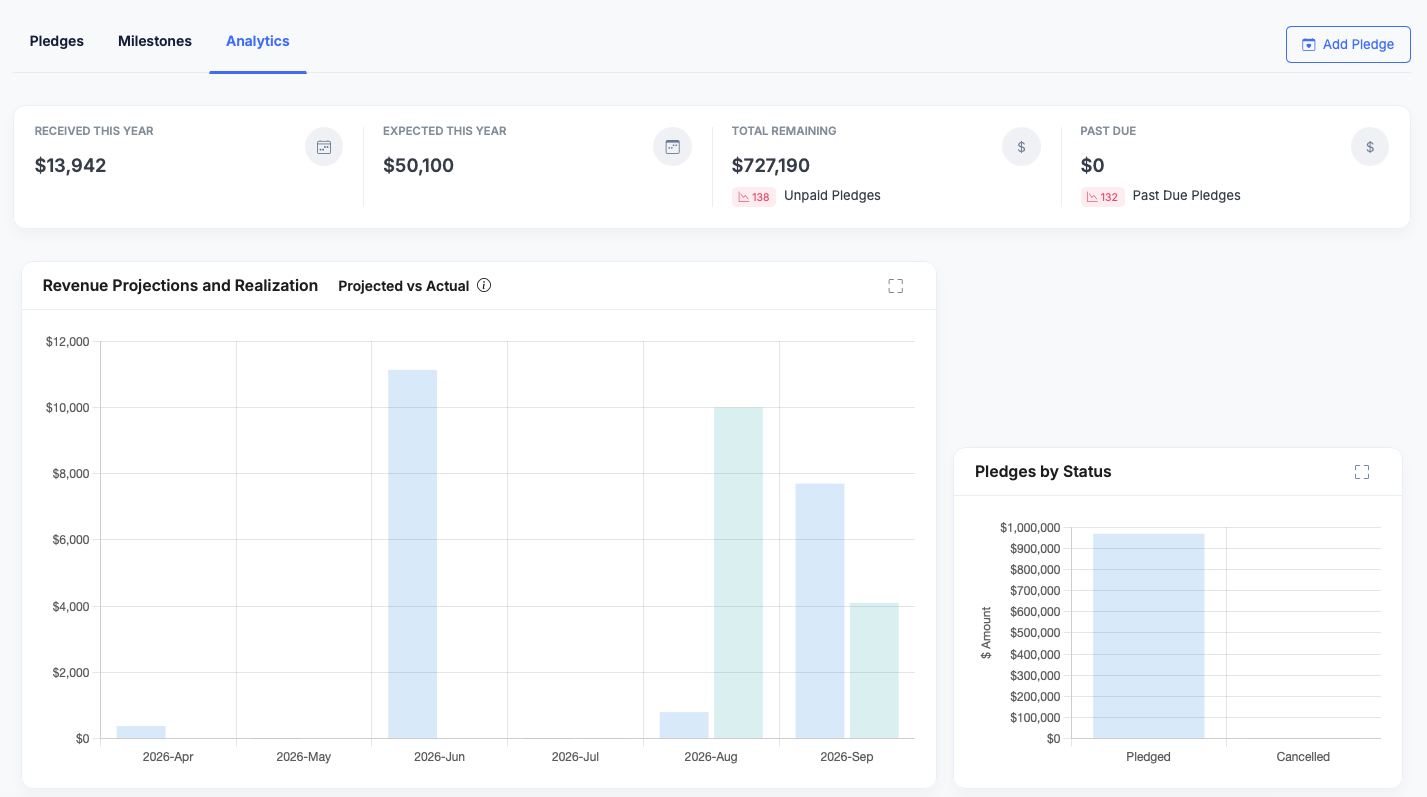
Received, Expected, Remaining, and Past Due KPIs open the dashboard, over projected versus actual revenue by month. Pledges count toward stretch goals, so a paddle-raise commitment hits the thermometer that night.

  • Watch Received, Expected, Remaining and Past Due on one dashboard
  • Compare projected against actual revenue month by month, with a Top Pledgers chart
  • Filter to past due and work the chase list from there

Frequently Asked
Questions

How do donors pay their pledges?

Every BetterUnite pledge gets a shareable self-serve payment link and a downloadable invoice. You can send a branded payment-instruction email with the pledge amount and pay link smart-merged in, charge a card on file, take ACH, or record offline checks, cash, and wires against the pledge.

Can I split a pledge into installments?

Yes. Break any pledge into named milestones, each with an expected amount, a date or date range, and an Open or Closed state. Partial payments roll up to the parent pledge, and a cross-pledge milestones view shows every upcoming installment in one chronological list.

What happens when a pledge goes past due?

Past Due is a first-class payment status with its own KPI count on the pledge dashboard. Filter the register to past-due pledges and work the list directly: send payment-instruction emails, share pay links, or take a payment from the row. Pair it with automated pledge follow-up workflows so the chase does not depend on someone remembering.

A donor paid through a different checkout, how do I match it?

BetterUnite flags candidate payments from the pledger that are not linked yet with a Review unapplied payments alert. Apply Payments lets you toggle them onto the pledge, or find any transaction by reference number and apply it manually.

Do pledges count toward my campaign goal?

Yes. Campaign stretch goals and milestones can include pledge amounts, so thermometers reflect committed dollars, not just cash received. That is what makes multi-year capital campaign pledges and paddle-raise commitments readable on the night.

Can I import pledges from another system?

Yes. Bulk pledge import brings an existing pledge book across, and bulk payment-instruction emails let you invoice many pledgers at once, so onboarding does not mean re-keying every commitment.

Get started

Stop chasing pledges by spreadsheet.
See collection run itself.

A walkthrough with your own data: your programs, your questions. No pressure, no endless sales cycle.

See pricing first

Request a demo