Moves Management

Donor Journeys

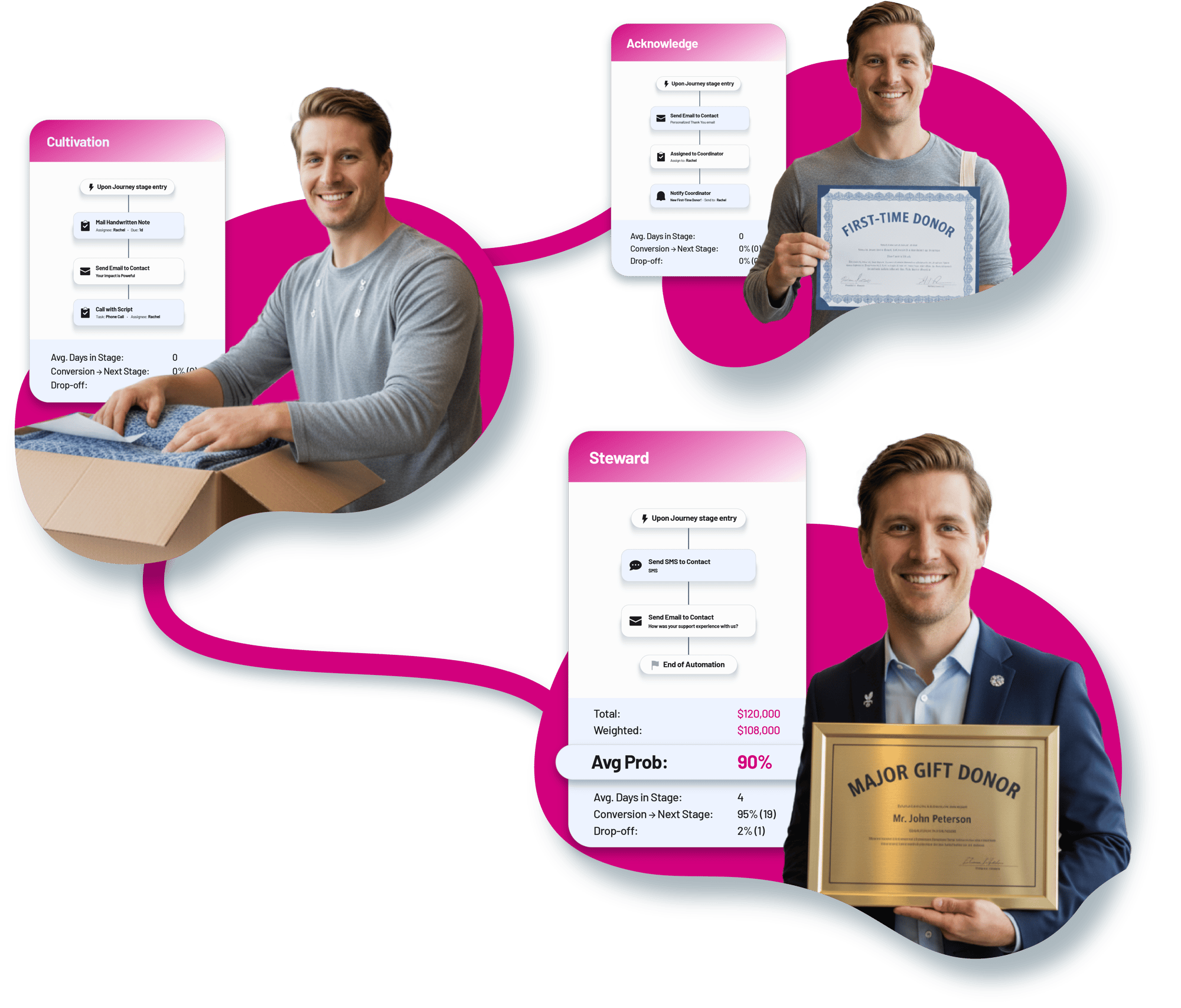
BetterUnite Donor Journeys is a Kanban board for donor relationships. Start from four fundraising templates or build any pipeline, set exit criteria on real giving data so contacts advance on their own, fire a mini workflow when a contact enters a stage, and read conversion, drop-off, and days in stage on every column. Draft, clone, export, and control re-entry by rule.

Pipeline discipline for donor relationships:
visible, measurable, automated.

01

Start from Best Practice

Four pre-built journey templates, each with a preview and one-click use, or build any pipeline from scratch.

  • Choose First Time Donor for acquisition and first gift, Guest to Donor for conversion, Lapsed Donor for reactivation, or Sponsor to Major Donor for major donor moves
  • Preview a template and put it to use in one click
  • Build any pipeline from scratch when none of the four fits

02

Stages That Advance Themselves

Exit criteria on real giving fields move contacts forward, each stage can fire a mini workflow on entry, and drag-and-drop override is always there.

  • Set exit criteria on number of donations, last donation amount, or lifetime giving
  • Fire per-stage entry workflows that send notifications, add tags, route owners, or move stages
  • Override any move by dragging a card, whenever you need to

03

A Board You Can Read

A live Kanban with contact cards that show activity status and time in stage, filtered by owner or keyword, one click from the full record.

  • Read activity status and time in stage on every card
  • Filter the board by contact owner or keyword
  • Click through to the full contact record, with stage history logged

04

Funnel Analytics on the Board

Each stage shows conversion to the next stage, drop-off, and average days in stage, and the journey shows completion rate and average time to complete.

  • Read conversion-to-next-stage and drop-off percentages on each column
  • Track journey-level completion rate and average time to complete
  • Export a journey snapshot report to Excel

05

Pipelines as Assets

Draft and active status, re-entry rules, clone, archive, and export or import of whole journey definitions, with enrollment from the profile, the grid, or automation.

  • Build in draft and switch to active when it is ready
  • Set re-entry rules for completed contacts, then clone, archive, or export and import whole journeys
  • Enroll from a profile, in bulk from the contacts grid, or through automation

Frequently Asked
Questions

What donor journey templates are included?

Four fundraising-specific templates: First Time Donor (acquisition and first gift), Guest to Donor (converting event guests), Lapsed Donor (reactivation), and Sponsor to Major Donor (mid-level and major donor moves), each previewable and usable in one click, and fully editable.

Do contacts move through stages automatically?

Yes. Exit criteria on real giving data, like “number of donations > 1” or lifetime giving thresholds, auto-advance contacts to the next stage, and each stage can fire an entry-triggered workflow. You can also drag cards between stages manually.

How do we measure whether a journey is working?

Every stage shows conversion-to-next-stage percent, drop-off percent, and average days in stage, and the journey shows total contacts, completion rate, and average time to complete. A snapshot report, who is where, entry dates, next activity and owner, exports to Excel.

Can we track dollar amounts in a journey?

Yes. Flip one setting and the journey becomes a Portfolio Management pipeline with opportunity amounts, probabilities, and weighted forecasts.

How do donors get enrolled?

From an individual contact's Automations tab, in bulk from the contacts grid, or automatically via workflows, with re-entry rules controlling whether completed contacts can go through again.

Get started

Map your donor lifecycle this week, templates included.

A walkthrough with a real journey board: your stages, your questions. No pressure, no endless sales cycle.

See pricing first

Request a demo