Events

Sponsorships

BetterUnite sells sponsorships four ways: with a single ticket, a block of group tickets, ticketless underwriting for donors who do not need seats, or a bundled combo. A purchase auto-creates the table, auto-tags the contact, and rolls into a dedicated sponsorship total, while obligation tracking records every benefit you promised.

Sponsorships illustration

Four sponsorship structures,
one checkout.

01

Four Ways to Sell a Sponsor

Sell a sponsorship with a single ticket, a block of group tickets, no tickets at all, or bundled with anything else you offer.

  • Sell sponsorships as a single ticket, a block of group tickets, or a bundled combo
  • Underwrite with ticketless sponsorships for donors who do not need seats
  • Group tiers into categories on your public page, and reclassify any offer between Tickets and Sponsorships at any time

02

Everything Happens Automatically

One purchase creates the table, tags the contact, and lands in its own line on the event dashboard.

  • Create the sponsor's table in the seating chart on purchase
  • Tag the contact automatically, so the record is right in your CRM
  • Roll every sale into a dedicated sponsorship totals category on the event dashboard

03

Sponsor Fulfillment, Tracked

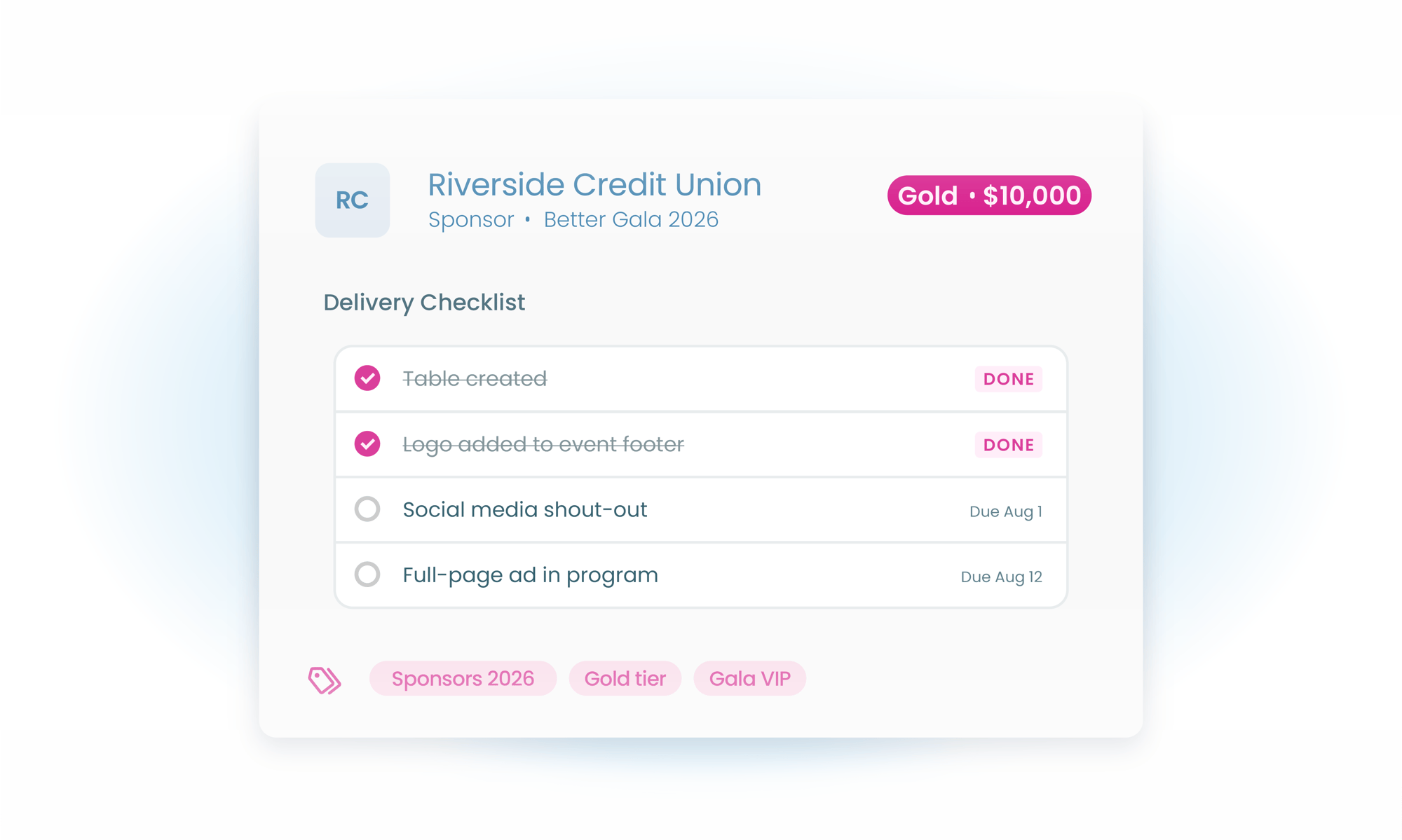
Delivery obligation tracking holds every commitment, from logo placement to stage recognition to the press release.

  • Record each promised benefit as a delivery obligation on the sponsorship
  • Verify logo placement, stage recognition, and press-release inclusion before, during, and after the event
  • Chase outstanding obligations with targeted event communications

04

Recognition That Sells Next Year

Sponsor logos populate your event pages on their own, with clickable URLs and control over where each one appears.

  • Publish sponsor logos with clickable URLs, auto-populated across your event pages
  • Run a scrolling sponsor banner ticker on the event page and guest screens
  • Control visibility page by page, so each tier gets the placement it paid for

Frequently Asked
Questions

What sponsorship structures does BetterUnite support?

Four: a sponsorship with a single ticket, one with a block of group tickets, ticketless underwriting for sponsors who do not need seats, and bundled combo packages. Categories group your tiers on the public page, and any offer can be reclassified between Tickets and Sponsorships at any time.

What happens automatically when someone buys a sponsorship?

The purchase can auto-create their table in the seating chart, auto-tag the contact in your CRM, and post to a dedicated sponsorship totals category on the event dashboard, with no manual setup after the sale.

Can BetterUnite track what we owe each sponsor?

Yes. Delivery obligation tracking records commitments like logo placement, stage recognition, and press-release inclusion, so your team can verify every promised benefit was delivered before, during, and after the event.

Can sponsors buy a table without attending?

Yes. Ticketless underwriting sponsorships are built for donors who want to support the event without seats. Their gift is tracked as sponsorship revenue and they are recognized like any other sponsor.

Where do sponsor logos appear?

Sponsor logos auto-populate on your event pages with clickable URLs and per-page visibility control, and a scrolling sponsor banner ticker with timed display windows can run on the event page and guest screens.

Get started

Turn sponsor packages into one-click purchases.

A walkthrough with a real sponsor package: your tiers, your questions. No pressure, no endless sales cycle.

See pricing first

Request a demo