Events

Seating Chart & Table Management

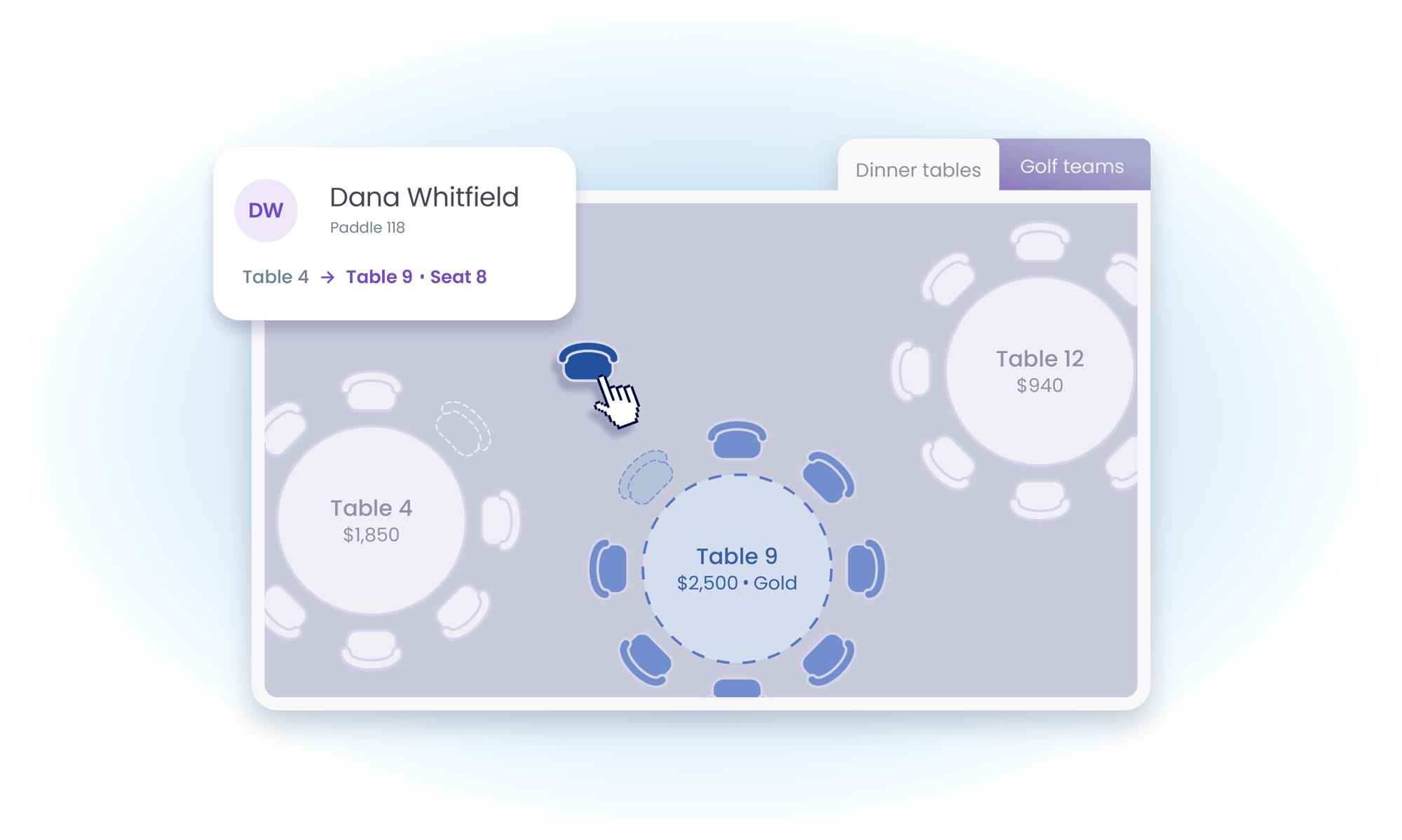
BetterUnite builds your seating chart as tickets sell: group and sponsorship purchases auto-create tables, and drag-and-drop handles the rest. Track a separate team dimension alongside tables for golf foursomes, watch per-table revenue live during the event, and hand every captain a view-only link to their own table.

Seating chart illustration

Unlimited tables. Zero spreadsheets.

01

It Builds Itself

Group and sponsorship purchases create their own tables, named and sized however your format needs.

  • Create tables automatically from group and sponsorship ticket purchases
  • Track unlimited tables, each with a captain, notes, table number, and seat count
  • Rename tables and teams to fit the night: foursomes, classrooms, or anything else

02

Drag, Drop, Done

Move a guest, split a group across tables, or clear a seat without touching the ticket behind it.

  • Drag guests between tables, and break a group ticket apart across several of them
  • Clear a guest name from a seat without deleting their ticket
  • Lock finished tables, apply color-coded guest tags, and track seat numbers for row-style seating

03

Tables and Teams

A separate team dimension runs alongside tables, so a golfer can have a foursome for the morning and a table for dinner.

  • Assign the same guest to a team and a table independently
  • Run golf foursomes and dinner seating from one event, without duplicating guests
  • Relabel either dimension to match how your organization talks about it

04

Follow the Money

Per-table revenue tracking and a live giving indicator show where the room is generous while there is still time to ask.

  • Track revenue table by table
  • Watch a live per-table giving indicator during the event
  • Email everyone seated at a table in one action

05

Built for Scale and Chaos

A list view handles bulk assignments, guests can seat themselves, and the chart doubles as a check-in screen.

  • Assign in bulk from a list view, and import attendees to update tables at once
  • Let guests pick their own table from the confirmation page, and give captains a view-only link
  • Edit tickets, check guests in, and add seats on the fly without leaving the chart

Frequently Asked
Questions

Does the seating chart update automatically as tickets sell?

Yes. Tables are auto-created from group and sponsorship ticket purchases, and every sale flows into the chart in real time. You then fine-tune with drag-and-drop, or use the list view for bulk assignments at high-volume events.

Can guests pick their own table?

Yes. Guest self-selection lets attendees choose from available tables directly from their confirmation page, and table captains can get view-only URLs to watch their table fill.

Can one guest be on a golf foursome and a dinner table?

Yes. BetterUnite tracks a separate team dimension alongside tables, so the same guest can belong to a foursome for the tournament and a table for the dinner. Rename tables and teams to fit any format.

Can I see how much each table is raising during the event?

Yes. Per-table revenue tracking plus a live per-table giving indicator show which tables are giving during the event, useful for targeted paddle-raise asks and thank-yous before guests leave.

What if a sponsor shows up with extra guests?

Add extra seats or guests on the fly, fill open slots, and check guests in directly from the seating view, with no need to leave the chart or edit the original ticket.

Get started

Seat 500 guests without a single spreadsheet.

A walkthrough with a real seating chart: your room, your questions. No pressure, no endless sales cycle.

See pricing first

Request a demo

  • Gala or benefit dinner
  • Golf tournament
  • Walk, run, or ride
  • Conference or multi-day event
  • Virtual or hybrid event
  • Something else