Auctions

Item Donation Forms

BetterUnite item donation forms give every event a public link where supporters submit auction and raffle items. Each submission arrives with item name, description, estimated value, terms, delivery method, and photos, staff get an email, and one click approves it into the catalog. Donors receive an automatic confirmation receipt.

One link, unlimited submissions.

01

One Link, Every Donor

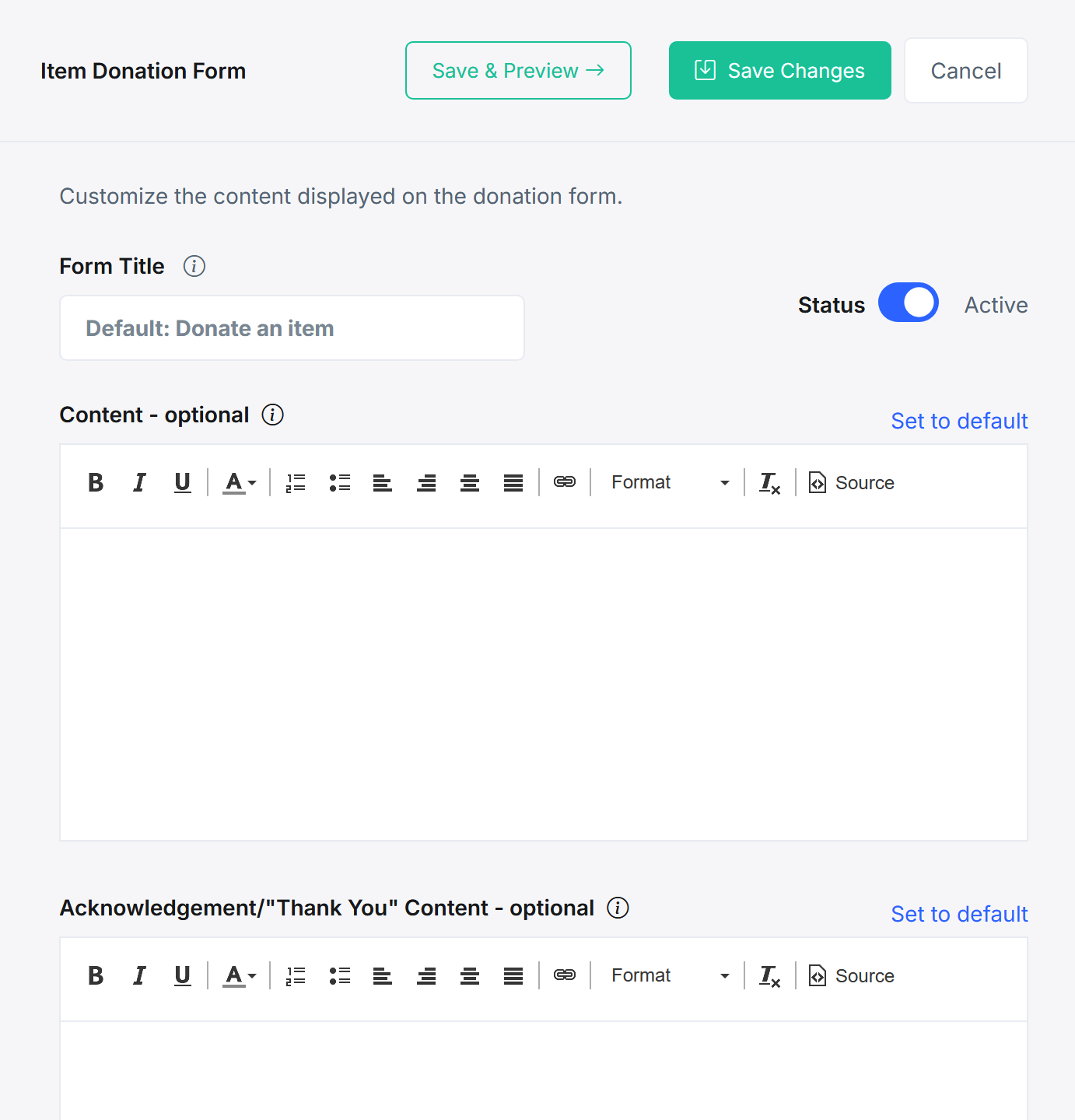
A standalone public form URL per event collects in-kind auction and raffle items, with your own intro copy, a donor anonymity option, and reCAPTCHA on the door.

  • Share one public form URL per event by email, social, or QR code
  • Write the intro content donors see, and let them stay anonymous if they prefer
  • Block spam with reCAPTCHA protection on the public form

02

Structured Data, Not Email Chaos

A fixed schema captures item name, description, estimated value, terms, delivery or fulfillment method, and image uploads, so every submission arrives auction-ready.

  • Capture item name, description, estimated value, and terms on every submission
  • Record the delivery or fulfillment method up front, not in a follow-up email
  • Collect photos with the submission, ready for the catalog

03

Approve Straight into the Catalog

Submission notifications go to the staff emails you choose, and one click from the dashboard sends the item into the auction or items for sale.

  • Notify the staff you choose by email the moment a submission lands
  • Approve with one click from the dashboard, straight into the auction or items for sale
  • Review everything first, so nothing goes public without a look

04

Donors Thanked Automatically

Every item donor receives an automatic confirmation receipt, with a thank-you message you customize per event and can set as your default. Gift-in-kind receipts with GIK values are covered on the Auctions page.

  • Send an automatic confirmation receipt to every item donor
  • Customize the thank-you and acknowledgement message for each event
  • Set a message as the default, so every new event starts with it

Frequently Asked
Questions

How do supporters donate items to our auction?

Each event gets a standalone public form URL you share by email, social, or QR code. Supporters submit item name, description, estimated value, terms, delivery method, and photos, no login required, with reCAPTCHA protecting against spam.

Do submitted items go straight into the auction?

Almost. Staff get an email notification for each submission and approve with one click from the dashboard, sending the item into the auction catalog or items for sale. Nothing goes public without review.

Do item donors get a receipt?

Yes. An automatic confirmation receipt goes to every item donor, and the thank-you and acknowledgement message is customizable per event. Gift-in-kind receipts including GIK cost are also supported for auction item donors.

Can donors stay anonymous?

Yes. A donor anonymity option on the form lets supporters contribute items without public attribution while your team retains the full record.

Does this work for raffle prizes too?

Yes. The same public form collects in-kind auction and raffle items, so one procurement link covers your whole event.

Get started

Start collecting auction items today, free.

A walkthrough with a real procurement form: your items, your donors, your questions. No pressure, no endless sales cycle.

See pricing first

Request a demo

  • Gala or benefit dinner
  • Golf tournament
  • Walk, run, or ride
  • Conference or multi-day event
  • Virtual or hybrid event
  • Something else